ChatGPT vs Claude vs Gemini: which AI should you use in 2027?
- AI
- Guides
- AI assistants
- ChatGPT
- Claude
- Gemini
- Written by
- Bhargav Tibadiya
- Published
- Reading time
- 17 min read
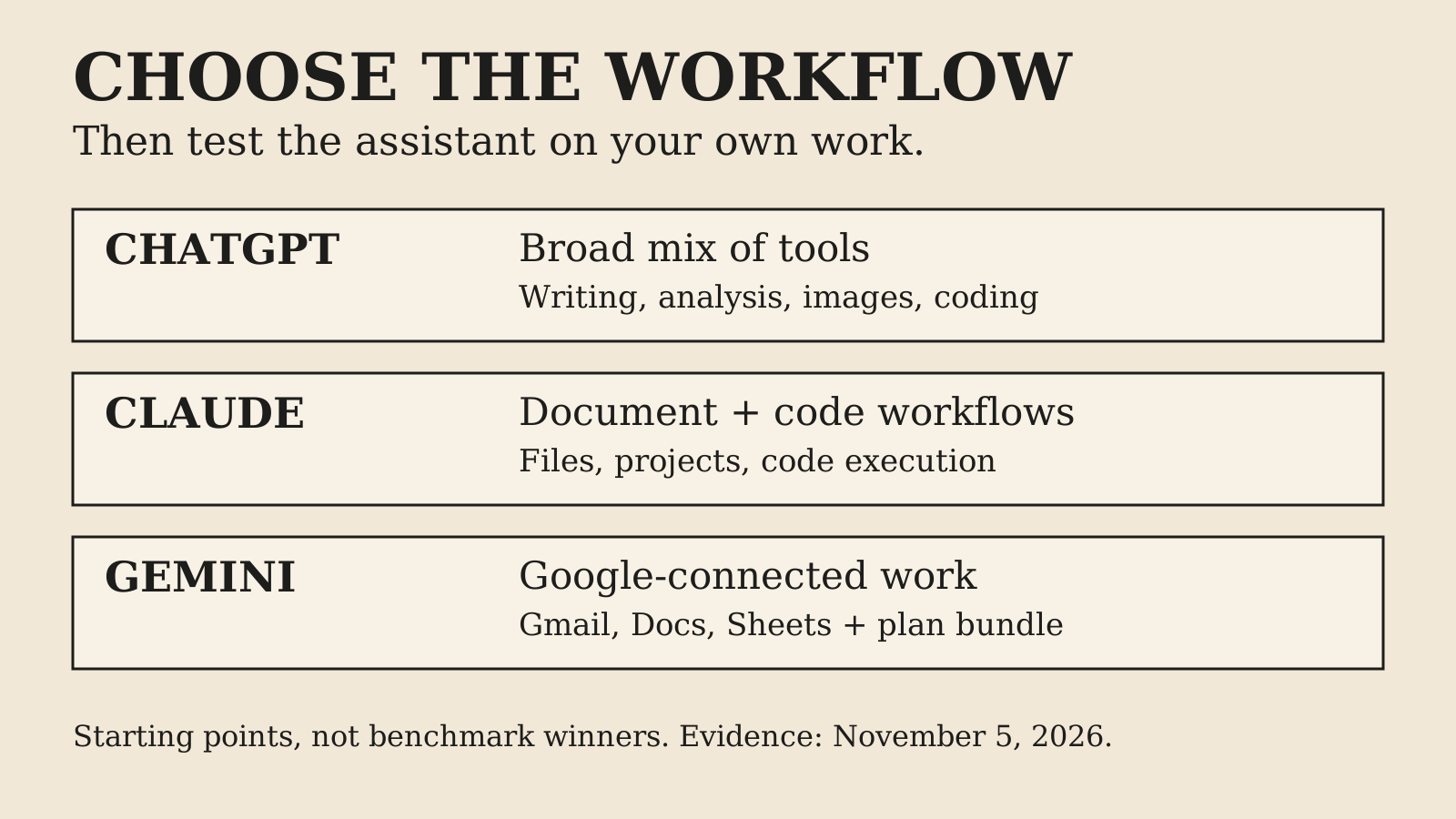
The best choice between ChatGPT, Claude and Gemini is the one that finishes your recurring work with the least correction, checking and switching between apps. Start by trying ChatGPT for a broad mix of tasks, Claude for document and coding workflows, or Gemini when your work already lives in Google's apps. Those are starting points for an evaluation, not claims that one model always writes, reasons or codes better.
This comparison uses product pages, privacy documentation and independent reporting checked on November 5, 2026. The 2027 title is a planning horizon, not a claim to have tested next year's models. Features, prices and access can change before then. I have not run a controlled head-to-head benchmark for this article, so there are no invented scores or first-person performance stories below.
ChatGPT vs Claude vs Gemini: the short decision
If you have no strong ecosystem preference, start with the free versions and one ordinary week of work. Use the same inputs, instructions and acceptance criteria in each. The assistant that needs the fewest important corrections is a stronger candidate than the one that produces the most impressive first answer.
ChatGPT puts a wide set of tools under one subscription: reasoning, uploads, images, research, projects, scheduled tasks and Codex1. That makes it a sensible first trial for someone who alternates between writing, analysis, creative work and development. Breadth is useful, but a feature list does not establish that every feature is the best in its category.
Claude includes files, code execution, web search and Artifacts, with Claude Code, projects and additional capabilities in paid plans4. It is a sensible trial when the repeated job is working through documents or software with an assistant. Again, that is a workflow match, not evidence of universal superiority in prose or programming.
Google's AI plans combine Gemini access with Google-app features and storage benefits5. If Gmail, Docs, Sheets and the surrounding Google account are already where work happens, test whether those connections remove handoffs. An excellent answer in a separate chat can still be less useful than a good answer that starts with the right document.
Compare products, not just model names
A model is one part of the assistant. The product also supplies the interface, file handling, web search, execution tools, memory, connectors, permissions and usage limits. Two assistants can use capable models yet feel very different because the surrounding work is different.
This distinction explains many contradictory online rankings. A coding evaluation may test an API model on a fixed repository. A consumer review may test a chat app with browsing. Your work may require an exported spreadsheet, access to a shared folder and an audit trail. All three evaluations can be honest while answering different questions.
For an account-level decision, record the product and plan, the model selected where visible, whether search was enabled, and the date. Otherwise a disappointing answer might be a free-tier limit, a tool failure, a retrieval failure or a model limitation. Calling all of them a reasoning problem makes troubleshooting harder.
OpenAI's two public pricing entry points showed different model lineups when checked for this article12. Rather than present a brittle model-by-model winner, this comparison uses stable workflow questions and the vendor's instruction to check the model picker for current account access. A vendor page is evidence, but two conflicting pages are a reason to qualify a claim rather than choose whichever sounds newer.
What the paid plans actually buy
A paid subscription usually buys access and allowance, not a promise that every answer is correct. It may unlock a model or tool, raise a usage limit, shorten a wait or add an integration. Those are different benefits, and each needs its own test.
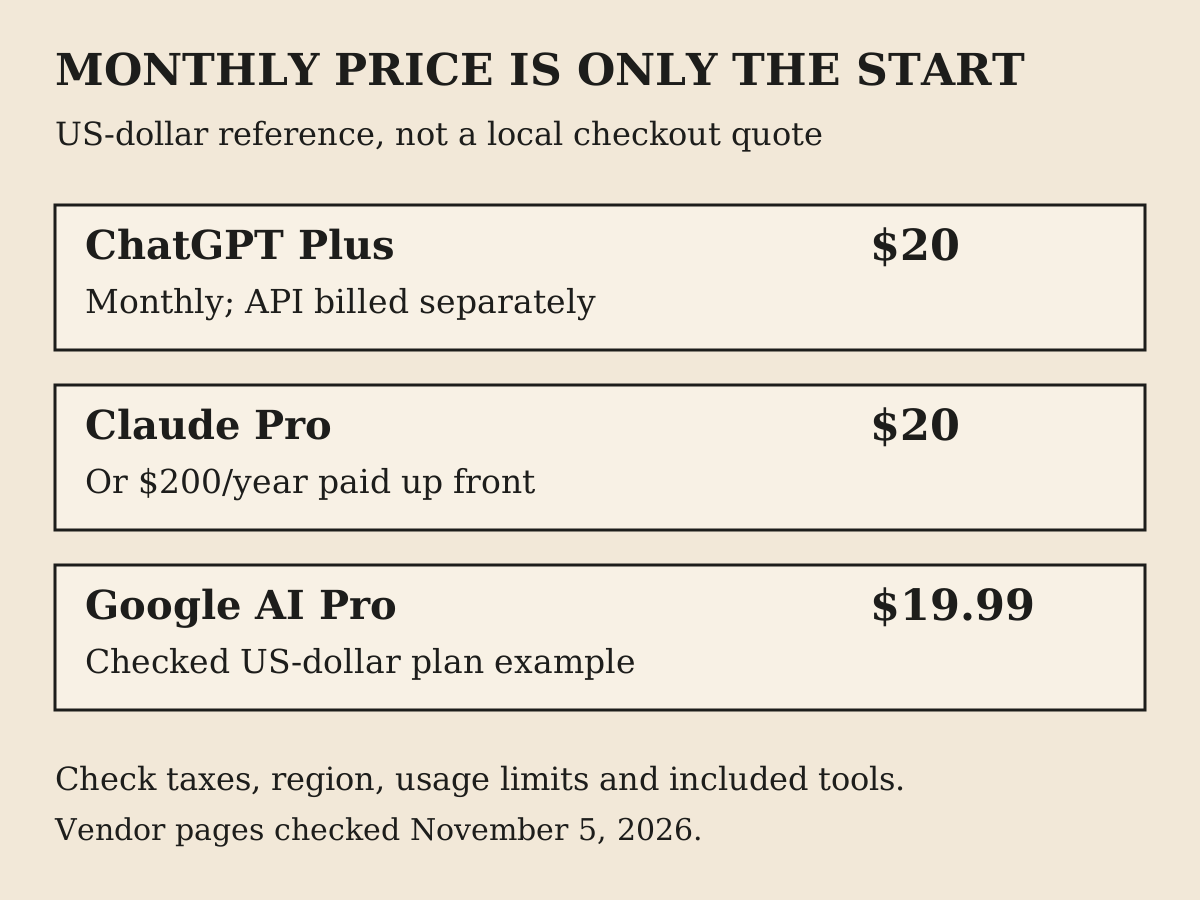
ChatGPT Plus costs $20 per month, billed monthly, with broader model and tool access than Free3. API usage is billed separately, Plus has no annual billing option, and limits can vary with demand3. The plan can be useful even without unlimited use, but it should not be budgeted as a private API account.
Claude Pro costs $20 billed monthly or $200 paid up front for a year, described as about $17 a month4. Paying annually does not mean a monthly charge of $17, and it reduces your ability to leave after a short trial. Max is listed at $100 and Ultra at $200, with distinct allowance rules rather than an unlimited blanket promise4.
Google AI Pro is a bundle with 5 TB storage and other benefits whose availability varies, with a worked savings example of $19.99 a month on the plan page5. Treat that as a US-dollar reference on the checked page, not a quote for every country or account. Local pricing, taxes, promotions, eligibility and the final billing screen can differ.
These prices are close enough at the ordinary paid tier that workflow fit should usually decide the first trial. Saving a cent while adding ten minutes of checking each day is not a meaningful bargain. Equally, a larger bundle is not good value if you do not use its extras.
Which is best for writing and editing?
Do not test writing by asking each assistant to produce a generic blog post. That mostly tests defaults, and defaults tend to make fluent prose look more useful than it is. Give them an actual brief, a sample of the desired voice, facts they may use and claims they must not add.
A useful test has two stages. First ask for an outline that separates known facts from open questions. Then ask for a short section and revise it with specific feedback. The second turn matters because professional writing is usually an editing process. An assistant that follows corrections reliably may save more time than one with a stronger opening paragraph.
Check whether it preserves meaning when shortening, keeps names and numbers unchanged, and avoids adding unsupported expertise. Ask it to point out what is missing rather than fill every gap with plausible detail. Compare the amount of editing needed before you would send the result to a client, manager or reader.
One writer's independent month-long comparison preferred ChatGPT, with Claude a close alternative for research and reasoning9. That is useful experience from one person, not a controlled writing benchmark. The comments include different preferences, which is a reminder to test your own material rather than borrow someone else's winner.
For resume writing, use the same approach with higher factual discipline. Supply the real experience and ask for clearer wording, not invented impact numbers. A polished sentence that exaggerates your role is a failure even if it reads better. The right assistant should help you express evidence, not manufacture it.
Which is best for research and citations?
All three products offer research or search capabilities in some form, but access to the web and a correct research result are not the same thing. A source can be real yet fail to support the sentence attached to it. A report can cite a recent page while repeating an older number.
Test research with a question whose answer you can verify. Ask for the primary source, its date, the exact claim it supports and any contradiction. Then open the links. Count unsupported claims, not just citations. If the assistant cannot access a source, it should say so rather than fill the gap from a search snippet.
Use an evidence packet for important work: a small set of approved documents or URLs, a clear question and a request to distinguish source statements from the assistant's interpretation. This makes review faster because you know where the answer should come from. It also exposes whether a long answer is actually grounded in the supplied material.
A second assistant can challenge an answer, but agreement is not independent verification. Both may repeat a popular error or rely on the same article. The tie-breaker should be a primary record, calculation, experiment or qualified expert, depending on the subject. Multiple confident paragraphs do not add up to a source.
Research is also where integrations change the decision. Public-web research, private-folder research and summarizing a single uploaded PDF have different failure modes. Test the one you need. A product that browses public websites well may still retrieve the wrong internal document if permissions or indexing are not set up properly.
Which is best for coding?
Separate explaining code from changing a repository. A chat answer can look correct while missing the project's build system, conventions or surrounding types. A coding tool can inspect those details, but then it also needs permissions, command boundaries and a way to review its changes.
ChatGPT plans include Codex access1, Claude Pro includes Claude Code4, and Google's AI plans include development tools such as Antigravity and AI Studio, with availability and allowance differences5. These are not interchangeable labels for the same experience, and the subscription page alone does not prove how each behaves in your repository.
Use a bounded task for comparison: fix one reproducible bug, add one small feature or explain one failing test. Give each tool the same starting commit and acceptance criteria. Evaluate the diff, tests, build, error handling and whether it touched unrelated files. Never score only whether the demo looks right.
Also check the cost of supervision. Did the tool ask for necessary context? Did it claim tests passed when they were not run? Did it change a dependency to avoid understanding an error? An assistant that admits a failed check is safer to work with than one that reports a clean finish without evidence.
If your actual question is which agent belongs in an editor or terminal, the AI coding agent comparison goes deeper into that workflow. Choosing a general chat subscription and choosing a repository-editing tool are related decisions, but they are not the same purchase.
Which is best for documents and spreadsheets?
A document task has at least four parts: reading the source correctly, doing the reasoning, producing the output and preserving its structure. A good summary does not prove the assistant can create a usable file. A spreadsheet with plausible totals does not prove its formulas reference the right cells.
Test with a short, representative file rather than your largest confidential archive. Ask the assistant to explain its assumptions, identify missing values and show the calculation behind important results. Then inspect the exported artifact in the application where it will be used. Formatting can break during export even when the chat preview looks clean.
For spreadsheets, include edge cases: a blank row, a duplicate, a negative value and a date that could be read two ways. Check whether totals update when an input changes. If the assistant returns only a static table when you need a working model, it has not finished the task.
Claude offers file creation and code execution4, ChatGPT includes uploads and analysis1, and Google's bundle puts Gemini alongside Docs and Sheets5. These are reasons to trial each in the relevant environment, not proof that one preserves every spreadsheet feature or document layout.
For a workplace rollout, ask who can access the source and the resulting file. A connector that can find a document does not automatically mean the result should be shared with the next person in the conversation. Keep retrieval permission and disclosure permission separate.
Which is best if you already use Google Workspace?
Gemini deserves an early trial when your workflow starts in Gmail, Docs or Sheets because reducing transfers can matter more than a small difference in answer style; in-app help in those apps is the headline feature of the bundle5. But check the exact account and subscription: a personal Google AI plan and an organization's Workspace arrangement are not the same contract.
Run a full-path test. Start from an email, find the correct document, ask a question and produce the actual reply or file you need. Record every copy-and-paste step and every place you must check the assistant selected the right item. That is the work the integration is supposed to remove.
Do not value storage at its headline retail price unless you would otherwise pay for that storage. If you already have a family arrangement, employer storage or another backup plan, the incremental benefit may be smaller. A bundled benefit has value only to the extent that it replaces something you need.
Likewise, country-specific features are not universal: several capabilities carry regional and age restrictions5. Before paying for one named feature, confirm it is available on your account in your country, not simply shown in a global marketing example.
Images, voice and creative work change the shortlist
A text-only comparison is incomplete if your daily work includes image creation, voice conversations or multimedia. ChatGPT includes image and voice capabilities1, Google's bundle covers image, music and video features5, and Claude emphasizes documents, files, Artifacts and other work surfaces4. Compare the actual output you need, not a broad label such as creative AI.
For image editing, use a test where you know what must remain unchanged. Ask for one controlled alteration, then check text, faces, logos, proportions and background details. A visually attractive result can still fail the brief if the product packaging or a person's identity changes.
For voice, test interruptions, names and the environment in which you will use it. A smooth demo in a quiet room says little about a commute or a meeting. Consider whether you need a transcript, whether other people have consented to recording and whether sensitive details are being sent to a cloud service.
Do not let an occasional creative feature dominate a purchase for mostly analytical work. One useful image a month may not justify giving up a better daily document workflow. Conversely, if images are the recurring deliverable, a text-focused evaluation is measuring the wrong thing.
Privacy: paying does not automatically make it private
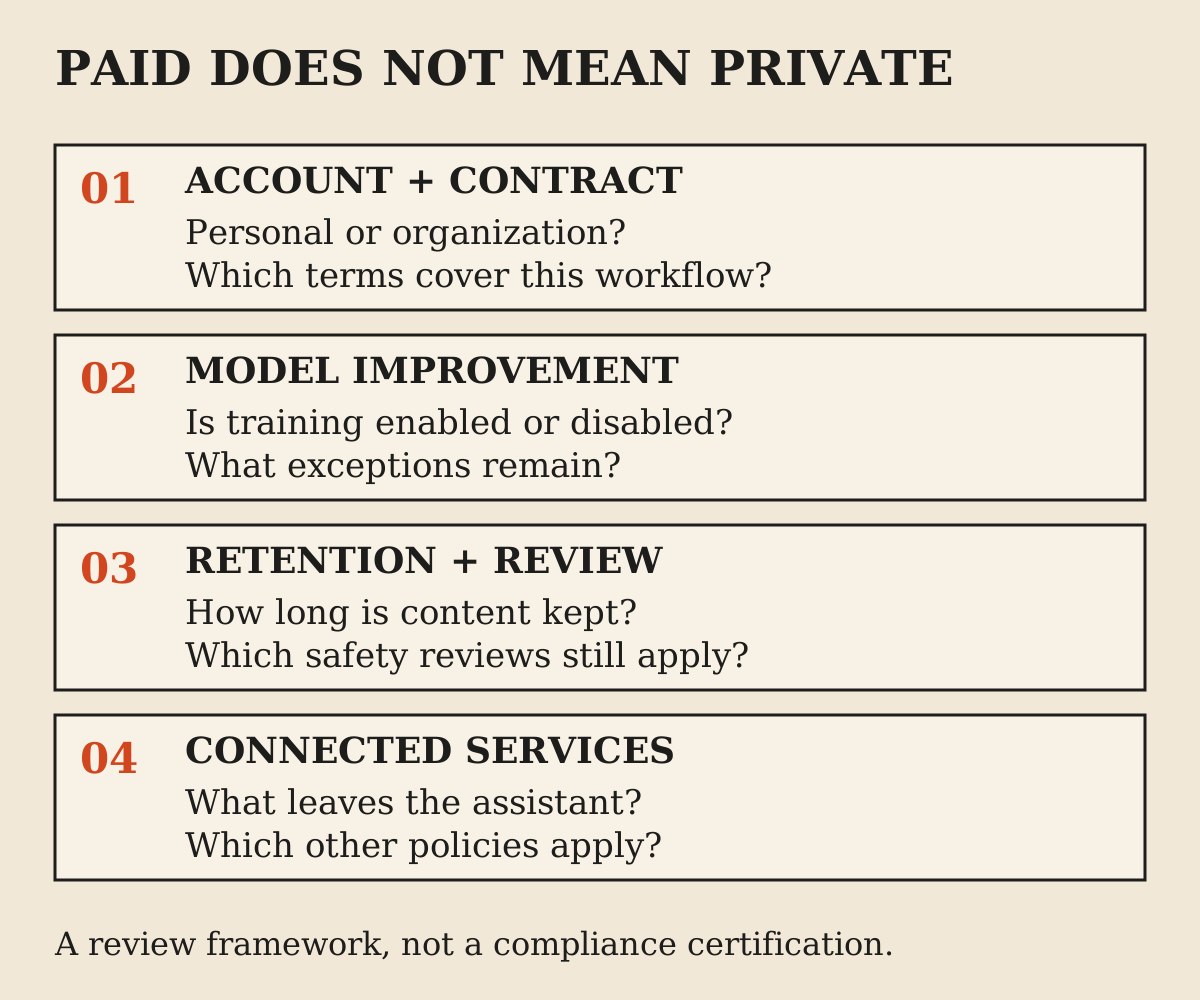
Consumer subscriptions and commercial agreements must be read separately. A paid personal account can still have model-improvement settings, retained chats and safety-review exceptions. Price is not a data-processing agreement.
With ChatGPT's model-improvement control off, chats stay in history but are not used to improve ChatGPT; Temporary Chats are deleted after 30 days and are not used for training6. This is different from an assertion that no system processes or temporarily stores your content.
Claude's model-improvement control lives in Privacy settings; turning it off stops new chats and coding sessions being used for future training, with qualifications about training already started and safety-classifier handling7. Anthropic explicitly distinguishes its consumer products from its commercial products7.
Gemini keeps temporary chats, and chats with Keep Activity off, with the account for 72 hours; temporary chats are not used to train Google AI models, and with Keep Activity off future chats are not used to improve those models unless feedback is submitted8. Safety processing and human-review exceptions apply, and connected services have their own handling rules8.
For company or client information, check the organization's approved product, account, retention and connector policy before uploading. If you cannot establish that the workflow is permitted, use non-sensitive sample data for the evaluation. The Cursor privacy guide explains the same important distinction in a coding setting: preventing training does not mean offline processing.
Can I trust the assistant to take actions?
Answering and acting need different evaluation standards. A wrong paragraph can be revised before use. A wrong email, calendar invite, purchase or repository change can create work for someone else before you notice it. Treat tool access as a new capability with its own boundaries.
Start with read-only tasks, then drafts, then narrow actions whose recipient, destination and content you can inspect. For example, ask it to find the relevant email and prepare a reply before allowing it to send. Confirm how it handles similarly named contacts and whether it distinguishes a draft from a completed send.
Check reversibility as part of the task, not after an error. Can you see what changed? Is there a history? Does undo restore the previous state or merely create another change? Some actions have a social cost that an undo button cannot remove, such as sending a private document to the wrong person.
A strong personal assistant should make the final state easy to verify. Look for the actual sent item, saved file or changed record. A chat message saying done is a claim, not the record itself. This standard applies whichever provider's logo is on the interface.
A one-week comparison that produces a useful answer
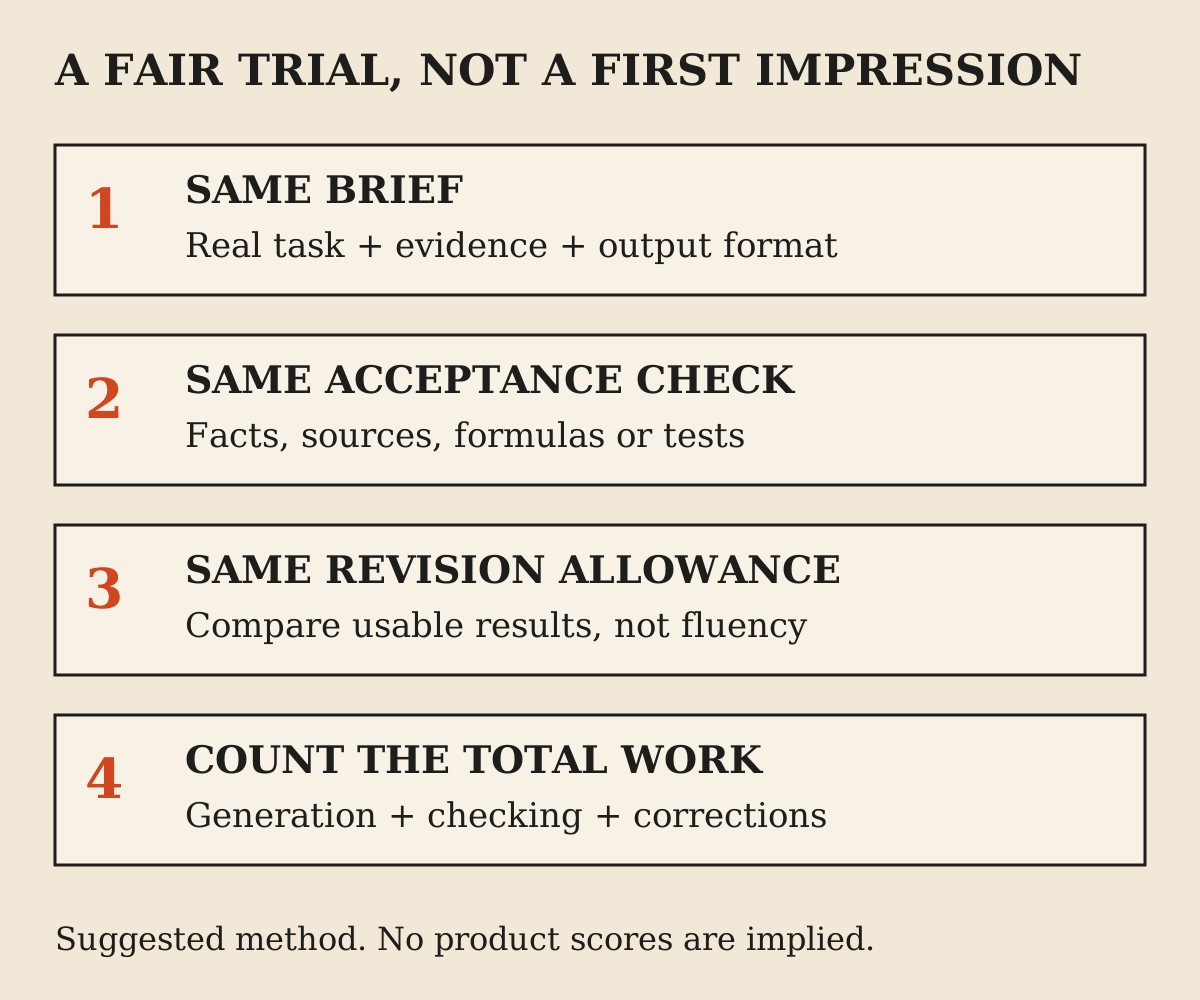
Choose five tasks you actually repeat. A reasonable set is a writing revision, a source-based research answer, a document extraction, a calculation and a small coding or planning task. Replace categories that do not match your work. The test should represent your week, not an influencer's benchmark list.
Write an acceptance check before running each task. For the calculation, that might mean correct formulas and a reproducible total. For research, it might mean every important claim has a source that supports it. For writing, it might mean preserving all supplied facts while matching a real sample of your voice.
Run the same input in each assistant and allow the same number of revision turns. Record time to usable output, important errors, checking time and whether the requested artifact was delivered. Keep the raw results so a particularly charming answer does not distort your memory of the whole trial.
Do not average away a serious failure. A tool that is fast on four harmless tasks but discloses the wrong document on the fifth may be unsuitable for that workflow. Set disqualifying conditions in advance: invented sources, unapproved actions, changed financial figures or unsupported claims of completion.
Finish the week by choosing the best default for your dominant work. Keep a second free account if it helps with occasional contrast. Only pay for a second subscription when you can name the recurring job that the first one does not handle well enough.
Is paying for more than one AI worth it?
It can be, but the case should be incremental. If the first subscription already does the job, a second one needs to save additional time, provide a required capability or reduce a real operational risk. Paying to keep up with product announcements is a different decision from buying a tool for work.
Use a simple break-even estimate. Suppose a second plan costs $20 a month and genuinely saves one hour of review or production time. If that hour is worth more than $20 to you, the plan may be reasonable. If it creates another inbox of drafts, another set of permissions and more checking, the apparent gain can disappear.
That calculation is illustrative, not a claim about any provider's productivity. Include your own review time and the cost of correcting mistakes. A faster generated answer is not a saving when it takes longer to establish whether the answer is true.
Avoid annual commitments during a short evaluation unless the discount is worth the reduced flexibility. Claude's annual Pro option is prepaid4, while ChatGPT Plus bills monthly only3. Compare the actual cash commitment, not a monthly equivalent printed in a larger font.
What should you recheck before 2027?
Recheck the model picker, local price, usage limits and the feature that motivated the purchase. Product bundles can change without your workflow changing. Conversely, your work can change enough that last month's best choice no longer fits.
Keep a small evaluation folder with your test briefs and acceptance checks. Re-run only the tasks that matter when a major update arrives. You do not need a new subscription every time a model name changes, but you do need evidence before assuming the old result still holds.
The durable recommendation is to buy a workflow, not a ranking. Choose the assistant that can get from your real input to a checked, usable output while respecting your account and data boundaries. That is a better foundation for 2027 than predicting which unreleased model will top a leaderboard.
FAQ
Is ChatGPT better than Claude and Gemini?
Not for every job. ChatGPT's broad tool set makes it a sensible first trial for mixed work, but the right choice depends on the task, account access, integrations and correction time. This article does not claim a controlled performance winner.
Which AI is best for personal use?
Start with the free versions and compare ordinary tasks such as writing, planning, research and images. Pay when a specific limit or missing tool repeatedly prevents you finishing work, rather than assuming a subscription is necessary from day one.
Which is best for resume writing?
Use the assistant that preserves your real experience and follows revision feedback without inventing achievements. Supply evidence and a target role, compare a short section, and reject any result that changes factual claims to make the resume sound stronger.
Which AI should a programmer try first?
Test the repository workflow you need. ChatGPT plans include Codex access, Claude Pro includes Claude Code, and Google AI plans describe development-tool access. Compare a bounded change with tests and diff review rather than a code snippet alone.
Are their ordinary paid plans all about twenty dollars?
The checked US-dollar references are $20 monthly for ChatGPT Plus, $20 monthly for Claude Pro and $19.99 in Google's AI Pro example. Claude also offers $200 prepaid annual Pro billing. Local prices, taxes and terms may differ.
Does a paid account stop my chats being used for training?
Do not assume that. Consumer products have their own model-improvement controls and exceptions. Commercial agreements may differ. Read the policy for the actual account and workflow before uploading confidential material.
Will two assistants agreeing prove an answer is correct?
No. They can rely on the same incorrect source or repeat the same plausible mistake. Verify important claims against primary records, calculations or other appropriate evidence.
Is this a ranking of 2027 models?
No. It is a planning guide based on November 5, 2026 evidence. It does not predict future releases or claim hands-on tests of models that are not available.
Should I buy annual subscriptions immediately?
Usually evaluate the workflow first. A prepaid annual discount can be worthwhile once fit is established, but it is a larger commitment than a one-month trial and should be compared on total cash paid.
Sources
- ChatGPT pricing (opens in a new tab)
- OpenAI pricing entry point (opens in a new tab)
- What is ChatGPT Plus? (opens in a new tab)
- Claude plans and pricing (opens in a new tab)
- Google AI plans (opens in a new tab)
- OpenAI Data Controls FAQ (opens in a new tab)
- Claude model-improvement privacy settings (opens in a new tab)
- Gemini Apps Privacy Hub (opens in a new tab)
- MakeUseOf: one writer's month-long comparison (opens in a new tab)