Antigravity Remote Agents: Access, Setup and Local Limits
- AI Coding Tools
- Guides
- Antigravity
- Remote agents
- Written by
- Bhargav Tibadiya
- Published
- Reading time
- 7 min read
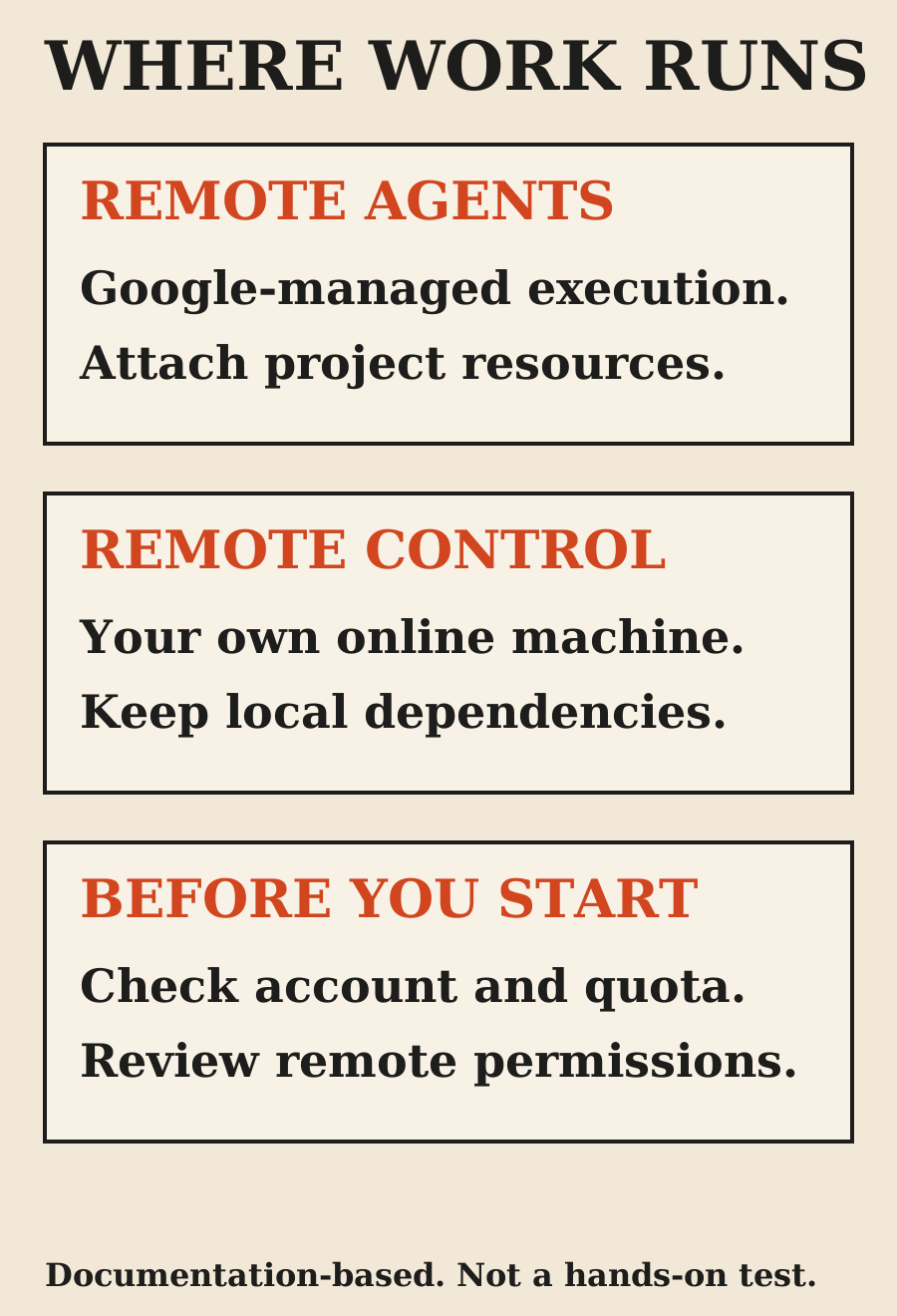
Antigravity Remote Agents run coding sessions in an isolated, Google-managed environment instead of on your laptop. They can continue a task when your browser closes or your machine sleeps[1]. That makes them different from Remote Control, which connects you to work still executing on your own online machine[1].
Access is rolling out gradually to personal Google Accounts with Google AI Pro or Ultra. The Remote Agents guide excludes the free plan, Google AI Plus and business accounts, including Google Workspace and Google Cloud accounts[1]. Having Antigravity access through another route does not establish eligibility for this feature.
This is a documentation-based guide checked November 7, 2026. I did not start a remote session, measure task speed or test account availability. The setup steps below describe Google's current documentation, not a claim that every eligible subscriber already has the feature.
What changed, and when?
Google's app changelog dates Antigravity 2.29.0 to November 3, 2026. The release includes the start of the Remote Agents and voice-mode rollouts, along with a native Jupyter notebook viewer and interface changes[2].
November 6 coverage can make this look like a November 6 release. Keep the release date separate from the date a publication reported it. Google's changelog also warns that new versions roll out gradually and may take days to reach everyone[2].
The useful change is where execution happens. Remote Agents are not merely a new way to look at a terminal running on your laptop. Their environment is hosted remotely, and their projects use attached resources rather than automatically mounting your current local directory[1].
Remote Agents versus Remote Control
Use Remote Agents for work whose dependencies can live in the remote project: a connected repository, selected Drive files or uploaded inputs. Use Remote Control when the task needs a local checkout, local development server, hardware or toolchain that must remain on your machine[1].
The practical difference appears when you close the laptop. A remote agent can keep executing independently. Remote Control requires the host computer to remain powered on and online[1]. A remote view of a sleeping workstation does not turn that workstation into a cloud environment.
My choice would start with the task, not with the word "remote." A repository-only maintenance change may travel well. A task depending on uncommitted local files, a physical device or a private service reachable only from your workstation needs a different plan. Do not discover that dependency after the agent has already begun editing a separate copy.
Check the account before troubleshooting setup
The feature-specific eligibility rule is personal Google AI Pro or Ultra, with gradual rollout[1]. Check which account is signed in before assuming a missing button is an installation failure.
This matters for developers who use a work Google Account in the browser and a personal subscription elsewhere. A business account's general access to Antigravity is not evidence that the Remote Agents feature is available under it. Google's broader plans documentation covers more offerings than the Remote Agents page, so the narrower feature rule is the one to use here[1][3].
I would not buy a subscription solely on the assumption that a gradual rollout is already active for a particular account. Verify current eligibility, regional checkout terms and actual feature visibility before making that purchase decision.
Start from the app or web
In the Antigravity App, Google's documented route is to create a New Remote Project, optionally attach resources, name the project and start a conversation inside it. You can also select a GitHub repository from the remote project selector; connecting GitHub authorizes the repository access needed for that workflow[1].
On the web, sign in at the Antigravity site with an eligible personal account. The guide describes standalone remote conversations and projects configured with GitHub repositories, Drive files or uploads[1].
Start with one repository and a narrow task. A useful first request is an investigation or a small change with a known test command, not permission to reorganize everything. Confirm the repository and branch in the plan before letting the task expand.
These are setup suggestions, not a report of a completed trial. I have not verified a particular user's buttons, permissions or connected accounts.
The CLI does not upload the current directory by magic
Google documents Remote Agents in Antigravity CLI 1.4.12 or later. The launch command is `agy --remote-agent`; `agy update` is the documented update route[1].
A remote session works in its own environment, not the directory where you launched the CLI. It cannot automatically read or modify files on your computer. Attach the repository or other resources to the remote project rather than assuming your local checkout is present[1].
The guide also distinguishes remote and local conversation resumption. A session started with the remote-agent flag opens remote conversations; a session without it opens local ones[1]. If the wrong conversation appears, check the execution mode and project before creating duplicate work.
For a first task, I would record the project name, starting commit and expected output. That gives you something concrete to compare when you return from another device.
Resources and plugins are explicit inputs
Remote projects can attach GitHub repositories, Google Drive resources and uploaded files. Google's guide says private repositories within one project must share the same GitHub user or organization owner; separate owners require separate remote projects[1].
Plugins connect remote work to external services through authorized connections. That is not the same as inheriting every plugin, MCP server or agent skill installed on your laptop. Google's list of unavailable remote CLI features explicitly includes those local installations[1].
Treat each connection as a data-access decision. Attach the minimum inputs needed for the task. A repository bug fix should not require every file in a personal Drive. If a task needs a document, name the document and explain its role rather than attaching a broad folder by habit.
Review remote permissions separately
The remote CLI uses remote-agent permission settings rather than simply copying local permissions. Google's guide describes separate remote permission rules and says the default preset is always-proceed, which runs commands without asking for approval[1].
That is a setting to inspect before handing off meaningful work. The guide also documents a default preset that asks before sensitive operations and a request-review preset that asks before every command[1]. Pick deliberately; do not assume your cautious local configuration carried over.
I would start a new workflow with review enabled and a clear limit on the task. Before allowing broader execution, inspect what commands the agent proposes, what external services it can reach and how you will review its changes. Permission to edit a working branch is not a reason to skip human review of a production change.
Cloud execution still has quota and cost boundaries
Google's plans documentation describes baseline quota tied to plan and available capacity. More complex work can consume more quota than straightforward prompts. Pro and Ultra users can use purchased AI credits for overages after baseline quota is exhausted[3].
The same page documents an AI Credit Overages setting with Never and Always choices. Never waits for quota refresh; Always can use credits when baseline quota is exhausted and switches back when it refreshes[3].
Remote execution should therefore not be described as unlimited free background compute. The plan documentation does not give a universal cost for one repository task, and I did not measure one. Check the signed-in account's usage controls and current charges rather than estimating from the number of prompts alone.
What to check when the task returns
A remote task is useful when the result is reviewable. My acceptance checklist would include the starting and ending commit, changed files, the exact checks that ran and any checks the environment could not perform.
If a UI changed, inspect rendered output at the actual target widths. If a dependency was missing, the report should say that rather than calling an unrun test successful. If local hardware is required for final validation, keep that step open until it happens on the right machine.
Remote Agents solve an execution-location problem. They do not establish that a patch is correct, that a mobile layout is readable or that a deployment is authorized. Keep those decisions visible in the workflow.
FAQ
Can Antigravity keep working when my laptop sleeps?
Remote Agents are documented to continue in Google's remote environment. Remote Control depends on your own host machine staying online.
Is Remote Agents available on the free plan?
The current feature guide says no. It is rolling out to personal Google AI Pro and Ultra accounts, excluding Free, AI Plus and business accounts.
Does starting the remote CLI share my local directory?
No. The remote environment uses attached project resources. Your current local directory is not automatically the remote workspace.
Are my local plugins available remotely?
Do not assume so. The guide lists locally installed MCP servers, plugins and agent skills among the unsupported remote CLI features.
Is the rollout date November 6?
The official 2.29.0 app changelog is dated November 3, 2026. News coverage and individual account rollout can happen later.
Was the feature tested for this article?
No. This guide describes official documentation and practical review criteria, not measured performance or account-specific availability.
Sources
Elsewhere on this site
Read AI agents versus workflows for choosing a task shape, or the frontend assistant comparison for visual acceptance checks.