GitHub Copilot in Slack and Teams: From Chat to Reviewed PR
- AI Coding Tools
- Guides
- GitHub Copilot
- Slack
- Teams
- Written by
- Bhargav Tibadiya
- Published
- Reading time
- 7 min read
GitHub Copilot in Slack and Teams can start cloud-agent sessions from a conversation, investigate a problem, create issues and produce pull requests. GitHub announced general availability of the `@GitHub` experience on November 6, 2026[1].
The useful part is keeping the discussion and implementation connected. The important boundary is that starting an agent session is not the same as approving its code for production. Repository access, organization policy and your normal review process still matter.
This guide is based on GitHub's announcement and integration documentation checked November 7, 2026. I did not install the apps, run a coding session or measure response quality. Examples below are proposed task shapes, not reports of tested integrations.
What the November 6 announcement adds
The announcement highlights Teams Canvas for reviewing implementation plans, code changes and previews alongside a discussion. It also describes faster Slack onboarding, improved repository detection and clearer attribution in generated issues and pull requests[1].
That attribution identifies the originating Slack or Teams conversation and username in the artifact description[1]. It helps a reviewer understand where a task came from. It is not evidence that every person in the conversation approved every implementation detail.
Keep that distinction in your own process. A teammate saying "this looks broken" can supply bug context. The person starting a coding session should still name the intended repository, scope and review outcome rather than letting an ambiguous conversation stand in for a specification.
What you need before starting
GitHub's Slack guide requires a paid Copilot plan, a Slack account in a workspace and the GitHub app for Slack. Organization or enterprise policy can affect cloud-agent access[2]. The Teams guide likewise requires paid Copilot access and the GitHub integration in Teams[3].
The account connection matters because the agent's permissions do not come from the display name in a message. Connect the GitHub account you intend to use and verify the repositories it can access.
For code-changing work, GitHub says you need write access to every selected repository. Its Slack documentation also excludes workspace guests and repository outside collaborators from starting or steering those sessions, while other conversation participants can still contribute input[2].
Do not read that as a blanket invitation for everyone in a channel to change code. Technical access, conversational participation and the team's approval process are different things.
Slack: start with an explicit repository and task
In Slack, the documented entry points are a direct message to the GitHub app or an `@GitHub` mention in a thread. The first use prompts you to connect your GitHub account, and may ask for a default repository[2].
Channel defaults can provide the repository context for later conversations. Direct messages do not support a default repository, so name the repository in the request. Defaults and branches are worth checking even when a bot appears to infer them correctly[2].
An illustrative request would be: investigate why the settings form accepts a blank display name in the staging branch, add a failing test, propose the smallest fix and open a pull request. That is narrower than "fix settings" and gives the reviewer an acceptance target.
GitHub documents a dedicated Slack Code channel for the task. Once established, steer the session there; the channel shows details such as repositories, branches, artifacts, status and model. It is intended for one session at a time[2].
A single task channel gives the work a clearer boundary than a busy team thread containing several unrelated bugs. Keep later requirements in that task context instead of assuming the agent will discover a correction posted elsewhere.
Teams: use Canvas as evidence, not a verdict
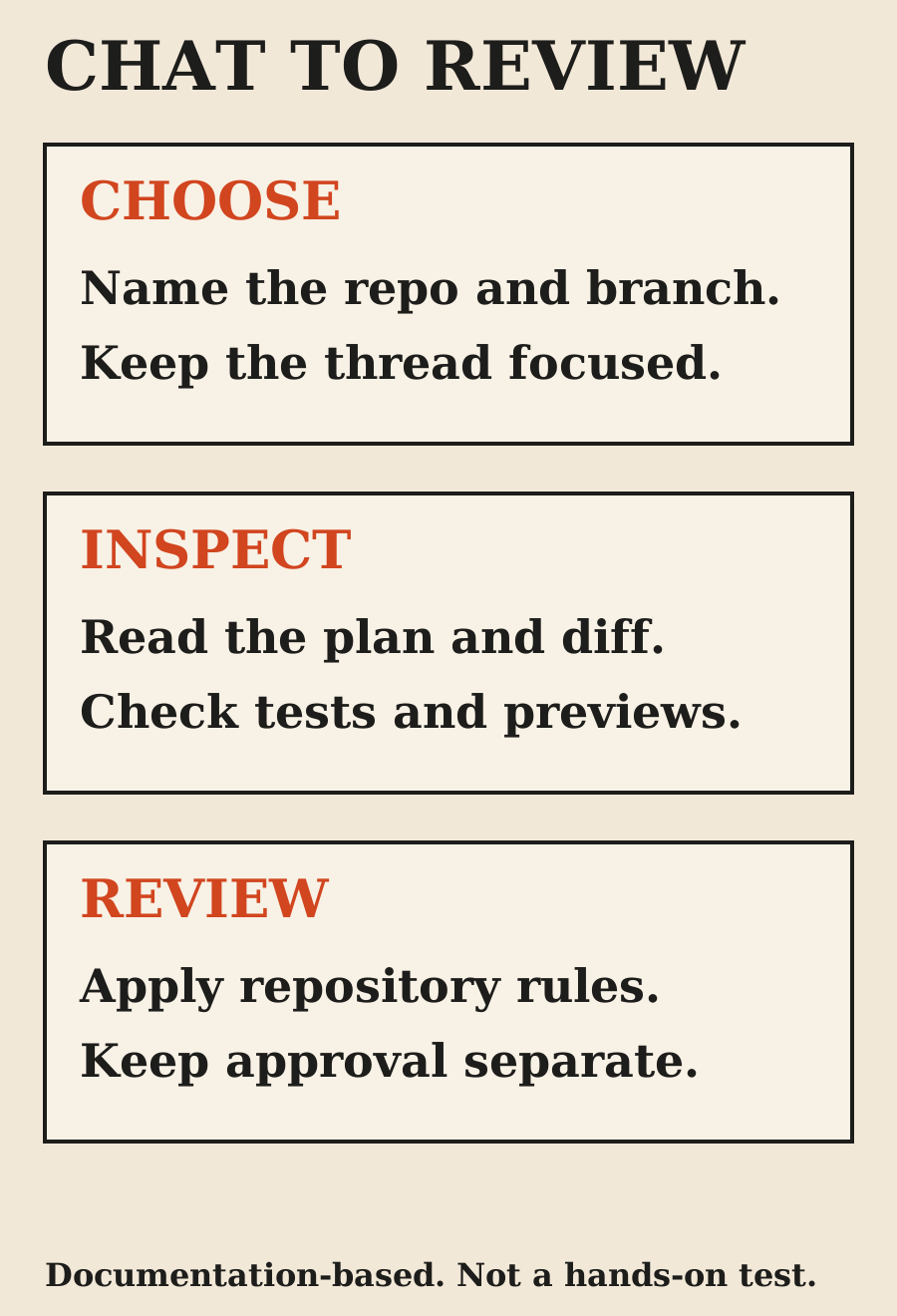
The Teams integration starts from an `@GitHub` mention in a channel, group chat or personal chat. Its guide documents a canvas that shows the implementation plan, changed code, previews and session progress[3].
That is useful for reviewing the agent's direction before a large change accumulates. If the plan targets the wrong component or repository, correct it early. If a preview shows the right happy path, ask what happened in the error and loading states before calling the feature complete.
A preview answers a visual or behavioral question about the state shown. It does not establish that all tests passed, that a migration is safe or that production credentials were handled correctly. Keep those checks attached to the pull request and deployment process.
The whole thread can become implementation context
GitHub's Slack documentation says the cloud agent captures the entire thread as context and stores it in generated artifacts. It suggests a direct message if you want a narrower context[2]. The Teams guide also warns that conversation context is used in agent-generated artifacts[3].
Read the thread before mentioning the app. A long incident discussion may contain customer information, tentative explanations or an abandoned plan. Those details are not automatically appropriate inputs for a generated issue or pull request description.
My practical rule would be to start a clean task thread when the existing discussion mixes several problems or includes sensitive information. Summarize the relevant reproduction steps and expected behavior. Keep secrets and unrelated customer data out of the request.
A smaller context is not merely a cost preference. It reduces the chance that the implementation follows an outdated suggestion or repeats private material in an artifact visible to a different audience.
Direct messages and shared conversations use different identities
GitHub's guides distinguish personal and shared contexts. In a direct message, Copilot can act using the permissions of the linked GitHub personal account. In shared contexts, generated artifacts use the app identity rather than the individual's personal identity[2][3].
The Slack guide also describes an additional approval under repository rulesets for shared-context pull requests when the repository already requires an approval[2]. Check the rules that actually apply to your repository rather than assuming a chat-created PR follows the same attribution path as a hand-written one.
For a reviewer, the useful questions remain ordinary ones: who requested the change, what scope was approved, which account or app created the artifact and which checks must pass? Do not confuse the conversation's username attribution with the technical author of the pull request.
Multi-repository work needs a bounded repository set
The Slack guide documents sessions across as many as 11 repositories under the same organization or personal owner, with write access required to every selected repository. Changing channel defaults affects new conversations rather than changing the repositories of an active session[2].
For a cross-service change, I would name the repository set and expected artifacts up front. For example: update an API contract and its web client, open a pull request in each and explain the deployment order. Do not let an unspecified "update the clients too" expand into every repository the app can reach.
This is a proposed scope discipline, not a tested claim that a multi-repository migration succeeds automatically. Each repository may have its own checks, owners and release constraints. A coordinated plan should make those dependencies visible.
MCP and memory add context, not automatic trust
GitHub documents MCP server use through repository configuration and says administrators control configured servers, allowed tools and credentials. Model availability and configuration can also depend on organization policy[2][3].
Review what a connected server can read or change before enabling it for a task. A repository assistant does not need broad production access merely because it can request it. Give the session the minimum data and operations needed for the defined work.
The guides label Copilot Memory as a public preview. They distinguish repository facts from personal preferences and describe review and deletion controls[2][3]. A remembered preference can help continuity, but it should not replace checking a current requirement or a changed repository policy.
A sensible first trial
I would start with a low-risk bug or documentation change, not a production database migration. Define the reproduction, target repository and branch, expected test and pull-request outcome before starting.
When the work returns, inspect the diff, test output and any skipped checks. For UI work, inspect actual rendered states rather than accepting a summary that says "looks good." For deployment work, keep merge and release approval separate unless your team has explicitly defined otherwise.
The benefit to evaluate is whether conversation context saves handoff effort while keeping review clear. I have not measured that benefit here. A smooth chat experience is useful only if the resulting code and its authority are easy to understand.
FAQ
Can GitHub Copilot create a pull request from Slack?
Yes. The documented integration can start a cloud-agent task and create issues and pull requests when the required account and repository permissions are in place.
Is the Slack integration free?
The current guide requires access through a paid Copilot plan. Check the plan and usage terms for your account before treating a task as cost-free.
Does it read only the latest message?
No. The Slack guide says the entire thread becomes context and can be reflected in generated artifacts. Start a clean task conversation if that scope is too broad.
Can everyone in the channel steer code changes?
No. Starting or steering code changes requires the documented repository access. Other participants can contribute context, which is not the same permission.
Does Teams Canvas replace pull-request review?
No. It helps inspect plans, changes and previews. Your repository checks and merge process still need to be followed.
Was the integration tested for this article?
No. This is a documentation-based explanation with proposed review practices, not a hands-on performance report.
Sources
Elsewhere on this site
Read the frontend assistant comparison for visual checks, or AI agents versus workflows for deciding how much work to delegate.