Cursor Build Live Apps: From Prompt to a Reviewed Live Link
- AI Coding Tools
- Cursor
- Cloud agents
- Web apps
- Guides
- Written by
- Bhargav Tibadiya
- Published
- Reading time
- 7 min read
Cursor can now take a web app from a request to a hosted link, including a database and authentication when needed. The useful part is removing some of the setup between a prototype and a tool people can open. The important limit is that building an app, publishing it and choosing who can access it remain separate decisions.
Use a cloud agent, say explicitly that you want an app, inspect the preview, resolve the security findings and publish only when the result and audience are right. Cursor's Apps documentation says this feature is not supported locally[1].
This guide was checked on November 8, 2026, against Cursor's documentation and its November 5 announcement[2]. I did not deploy an app, measure build time or test the security checks. The examples below are proposed evaluation tasks, not reported results.
What Build Live Apps actually adds
Cursor describes a workflow for web apps such as dashboards, portals and microsites. Its cloud agent can handle hosting, provision Postgres when the app needs a database and set up authentication. You can start a new repository on Cursor Origin or deploy from an existing GitHub repository[1].
That is more than generating a page and leaving you to work out deployment. It does not mean every app is ready for production when the first preview appears. You still need to decide whether the behavior, data access and sharing model fit the job.
For a first trial, I would choose a small internal tool with one clear purpose. A dashboard using sample data is easier to evaluate than a portal connected to several business systems. Keep the first task small enough that you can inspect every important interaction.
Start in the cloud, not the local editor agent
The current Apps guide explicitly requires a cloud agent. A request in a local session is not the documented entry point for this hosted workflow[1].
Describe the app, its intended users and the data it should use. For example: build a dashboard from sample signup data with a date filter, a chart and a clear empty state. State that the first version should not connect to production systems.
That proposed task gives you something concrete to review without making data access part of the experiment. If an existing repository is involved, name it and identify the branch or revision you expect to deploy. Do not let a successful preview obscure which code actually produced it.
Review the preview before publishing
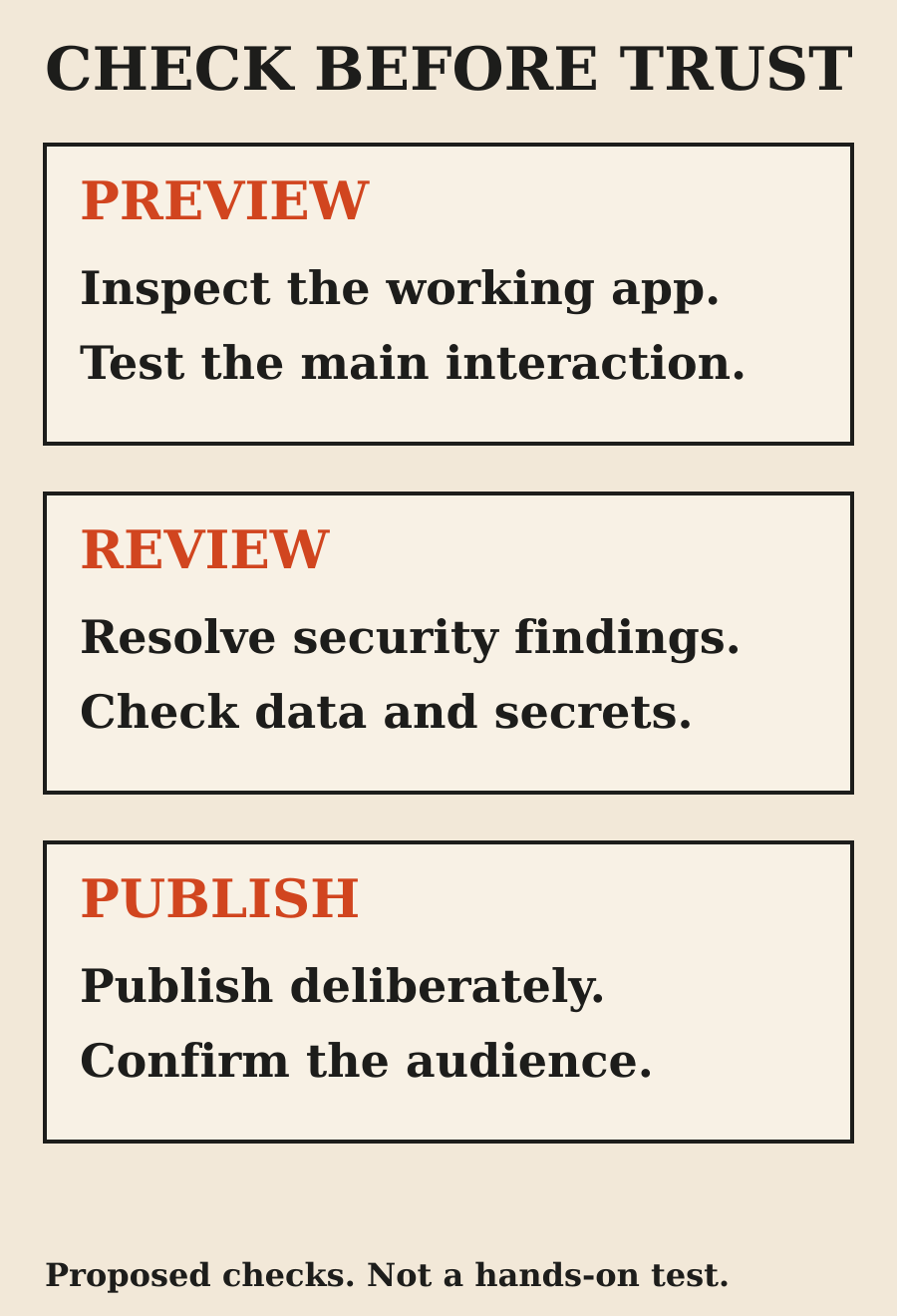
When the agent prepares an app, Cursor presents a tray with preview and publish controls. The documented publication flow lets you choose the app URL and runs security checks. Nothing goes live before you choose to publish[1].
Use the preview to test the work, not only admire the first screen. Check the main interaction, an empty state, invalid input and a narrow phone layout. If the tool writes data, inspect what happens after a refresh and after a second user performs the same action.
Those are suggested acceptance checks. This article does not establish how Cursor handles every app architecture or persistence requirement. Ask the agent to explain the actual implementation and show evidence for the behavior you care about.
Know what Cursor provisions
Cursor says each app deploys in a dedicated hosting account created for the team, or for the user on an individual plan. Those accounts are isolated from other teams and users. Postgres is provisioned automatically if the app needs a database[1].
Private and team apps use Cursor sign-in. Individual users can share apps publicly without Cursor authentication. If the app needs your own resources, Cursor provides a secrets workflow; its documentation says the agent never sees the secret values[1].
Do not turn that into a broader claim that the agent cannot access any sensitive information. The app can still be designed to read connected data. Review which system it connects to, what permission the connection has and what appears in the app's responses.
Security checks are useful, not a warranty
The Apps guide lists four checks that run before every publish: blocking secrets in app files, blocking credential files, excluding .env files and removing source maps. These remain on even when the AI security review is off[1].
An additional AI review reads app files and can block serious issues. Team admins can add review instructions, but cannot remove the built-in checks. Admin overrides also have limits: the guide excludes malicious code, hardcoded secrets and exposed credentials from the publishes they can approve[1].
That is a documented review boundary, not proof that an app has no vulnerabilities. You remain responsible for checking the app's behavior and data access. For a tool containing important business data, a passing automated review should be part of a release process rather than its entire security assessment.
A live link does not define the audience
Cursor distinguishes invited people and groups, the whole team and public access. Private and team access require Cursor sign-in. Public access means anyone with the link can open the app[1].
Public sharing is disabled by default for Teams and Enterprise, but an admin can enable it. The changelog's shorter description emphasizes public sharing on individual plans; the detailed Apps guide adds the team-admin control[1].
Before sending a link, check the saved visibility and intended recipients. A customer-facing demo and an internal operations dashboard should not share the same default. When possible, test access as someone outside the intended audience as well as someone inside it.
API keys are another access path
Private and team apps normally sit behind a sign-in screen, which scripts cannot use. Cursor documents API keys for automated callers. Personal keys can open apps their owner can open; team keys are restricted to the team apps they have been given access to[1].
The key goes in a request header, not a URL parameter or a cookie. Requests are marked as automated and identify the key rather than impersonating a person[1].
If you add a script integration, review its access separately from browser sharing. Do not paste a key into a prompt, a public repository or a demo URL. Confirm which apps it can open, where it is stored and who will remove it when the integration is no longer needed.
Admin controls matter for team rollout
The Apps dashboard shows created and shared apps. Team admins can see every app and secret on the team and can unpublish apps. They can also control public sharing and API-key access, with settings changes recorded in the audit log[1].
That makes the rollout partly an administrative decision. An individual experiment should not silently become the team's hosting policy. Before inviting several departments to build tools, agree on who owns app review, connected credentials, visibility and removal.
Cursor's announcement gives examples from operations, sales, training and engineering services[2]. Those examples suggest possible uses. They do not establish that a generated tool meets your organization's requirements for any of those functions.
Check availability without inventing a price
Cursor says Apps is available on paid plans with access to cloud agents[1]. That is an eligibility statement, not a verified all-inclusive cost for any app you might run.
I would check current plan access, usage terms and any connected-service costs before depending on it. This article does not quote a dollar price, a traffic allowance or a guarantee about how long a deployed app will stay available.
The Apps documentation says hosting is provided as available and describes circumstances in which apps or associated resources can be removed or suspended[1]. Keep that limitation in mind when deciding whether the workflow is a convenient prototype path or a fit for an important service.
My suggested first trial
Build a small tool from sample data with one intended audience and one main interaction. Ask for a clear explanation of where the data lives, what authentication is configured and which external systems are connected.
Inspect the preview on desktop and a phone-sized screen. Review security findings, choose the audience and publish deliberately. After publication, repeat the important interaction on the live URL rather than assuming preview behavior proves the deployed result.
The value is a shorter path to something useful. The review discipline is still yours: know what was built, what was checked, who can open it and who owns it after the experiment.
FAQ
Can Cursor build and host a web app?
Yes. Its Apps workflow uses cloud agents and can provision hosting, authentication and Postgres when needed. A local agent session is not the documented route for this feature.
Does a finished preview publish automatically?
No. The documentation requires an explicit publish choice and security checks before an app goes live.
Are Cursor apps always public?
No. Invited-user, team and public access are different visibility choices. Check the saved audience before sharing a link.
Can a team admin override any security failure?
No. The documented override has exclusions, including malicious code, hardcoded secrets and exposed credentials. Built-in checks cannot be removed through custom review instructions.
Does this article include a tested deployment?
No. It is a documentation-based guide with proposed acceptance checks, not a hands-on deployment report.
Sources
Elsewhere on this site
Cursor vs Claude Code for frontend covers the review loop after a UI change. If you need help taking a prototype into a maintained product, see my software work.